Collection: For Gigabyte
Is it difficult to replace a For Gigabyte battery myself?
No. A For Gigabyte battery is a removable internal pack held in by a few screws, so the job is remove the bottom cover, unplug the old pack and fit the new one — roughly 15–20 minutes with a small screwdriver, and a T6 Torx bit on some Aero and Aorus machines. There is no soldering, no firmware flashing and no calibration software, and step-by-step instructions are included with every order, so most first-time users finish without help.
How can I be sure the battery fits my Gigabyte laptop?
Check two things. Match the model line and part number first: every For Gigabyte battery lists the machines it fits and the original codes it replaces, from GAG-J40 for Aero 14/15/17 and Aorus X7 DT to GNS-I60 for the P35, P37 and P57 Series. Then read the label on your existing pack — voltage must match exactly, and where several capacities exist for one machine, staying at the same Wh gives a like-for-like swap. If your machine is a GAG-J40 type, also compare the plug size, because that part number came in both a 29 × 7 mm and a 17 × 6 mm connector. Send us a photo of the label if you are unsure and we will confirm before you buy.
How long will a replacement For Gigabyte battery last?
Our Grade-A Li-ion cells are rated for 500+ charge cycles, which is typically two to three years of daily use. A few habits stretch that further: avoid running the pack completely flat on a long session, keep the intake vents and the area around the battery clear of dust so the chassis runs cool, and store a spare at roughly half charge if it will sit unused. Every For Gigabyte battery is covered by a 1-year warranty and ships free, so your laptop stays protected well beyond the return window.

-
Gigabyte S1082-CF3 Replacement Tablet Battery GNG-D20 7.4V 29.6Wh
Regular price £33.00 GBPRegular price -
Gigabyte S1082 Replacement Tablet Battery GNG-D20 7.4V 29.6Wh
Regular price £33.00 GBPRegular price -
Gigabyte S1081 Replacement Tablet Battery GNG-D20 7.4V 29.6Wh
Regular price £33.00 GBPRegular price -
Gigabyte S1080 Replacement Tablet Battery GNG-D20 7.4V 29.6Wh
Regular price £33.00 GBPRegular price -
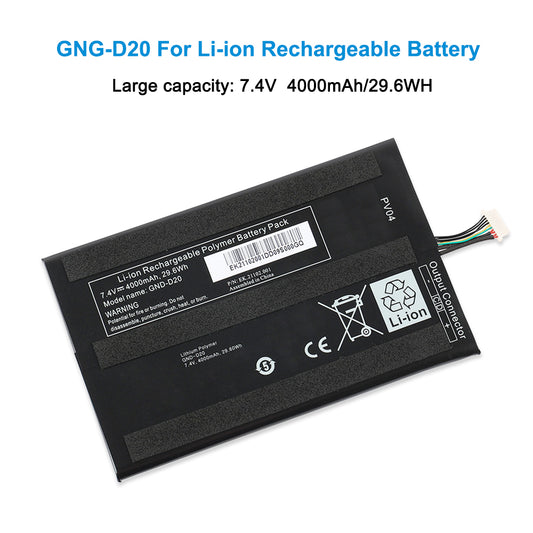
GNG-D20 Replacement Tablet Battery For Gigabyte S1080 S1081 S1082 Series 7.4V 29.6Wh
Regular price £33.00 GBPRegular price