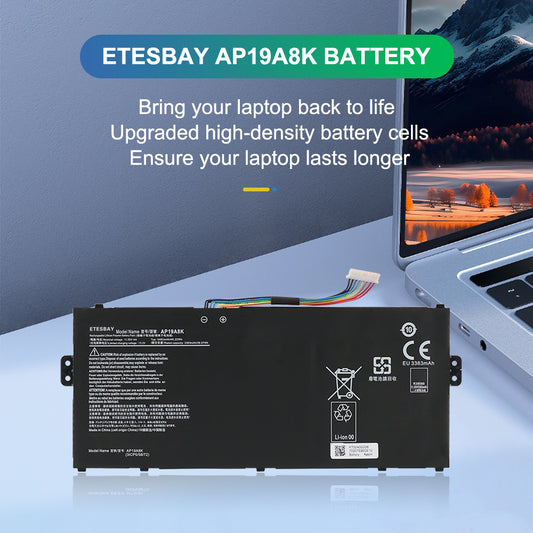
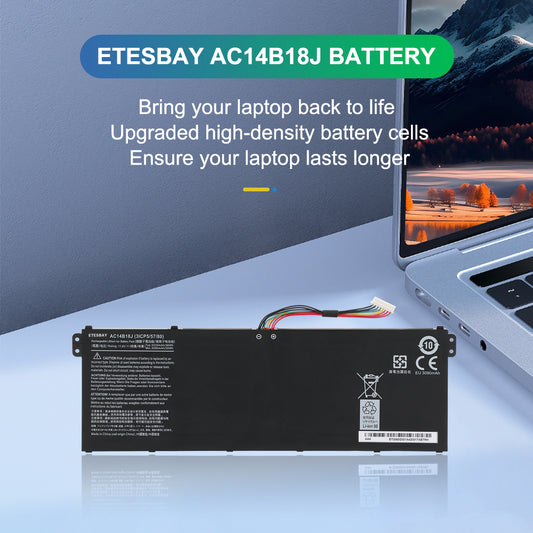
商品系列: Laptop Battery Not Charging
Common Reasons Your Laptop Battery Is Not Charging
- Worn-Out Battery (Most Common): Laptop batteries have a finite lifespan — typically 300–500 charge cycles or 2–4 years. Once a battery degrades past a certain point, it can no longer hold a charge, even when the charger is working perfectly. If your laptop is older than 2 years and the battery drains quickly or won't charge at all, this is almost certainly the culprit.
- Faulty Charger or Charging Port: Before replacing the battery, rule out the charger first — try a known-working adapter. A damaged DC jack or loose internal connection can also prevent charging. If the laptop works on AC power alone (with the battery removed), the charger is likely fine, and the battery is the problem.
- Driver or Firmware Glitch: Occasionally, Windows or macOS battery drivers become corrupted after an update. Resetting the battery driver in Device Manager (Windows) or performing an SMC reset (Mac) can resolve this — but if the issue persists, the battery hardware itself is likely failing.
- Deep Discharge: If a battery sits completely drained for weeks or months, it can enter a protection state where the internal circuit prevents charging. In most cases, a replacement battery is the only reliable fix.

-
CP311-3H-K9K9 替換電池 AP19A8K 適用於 Acer Chromebook Spin 311 11.55V 3482
定價 HK$295.87 HKD定價 -
CP311-3H-K7MV 筆記型電腦電池 AP19A8K 適用於 Acer Chromebook Spin 311 11.55V 3482mAh
定價 HK$295.87 HKD定價 -
CP311-3H-K72P Chromebook 電池 AP19A8K 適用於 Acer Chromebook Spin 311 11.55V 3482
定價 HK$295.87 HKD定價 -
CP311-3H-K42N 筆記型電腦電池 AP19A8K 適用於 Acer Chromebook Spin 311 11.55V 3482mAh
定價 HK$295.87 HKD定價 -
CP311-3H-K3WL 替換筆記型電腦電池 AP19A8K 適用於 Acer Chromebook Spin 311 11.55V
定價 HK$295.87 HKD定價 -
CP311-3H-K0HG 平板電池 AP19A8K 適用於 Acer Chromebook Spin 311 11.55V 3482mAh
定價 HK$295.87 HKD定價 -
CP311-2HN-C1XT 筆記型電腦電池 AP19A8K 適用於 Acer Chromebook Spin 311 11.55V 3482
定價 HK$295.87 HKD定價 -
CP311-2H-C9W5 替換電池 AP19A8K 適用於 Acer Chromebook Spin 311 11.55V 3482
定價 HK$295.87 HKD定價 -
CP311-2H-C7DQ 筆記型電腦電池 AP19A8K 適用於 Acer Chromebook Spin 311 11.55V 3482mAh
定價 HK$295.87 HKD定價 -
CP311-2H-C7BD Chromebook 電池 AP19A8K 適用於 Acer Chromebook Spin 311 11.55V 3482
定價 HK$295.87 HKD定價 -
CP311-2H-C679 筆記型電腦電池 AP19A8K 適用於宏碁 Chromebook Spin 311 11.55V 3482mAh
定價 HK$295.87 HKD定價 -
CP311-2H-C3KA 替換筆記型電腦電池 AP19A8K 適用於 Acer Chromebook Spin 311 11.55V
定價 HK$295.87 HKD定價 -
CP311-2H-C3DE 平板電池 AP19A8K 適用於 Acer Chromebook Spin 311 11.55V 3482mAh
定價 HK$295.87 HKD定價 -
CP311-1HN-P2CZ 筆記型電腦電池 AP19A8K 適用於 Acer Chromebook Spin 311 11.55V 3482
定價 HK$295.87 HKD定價 -
CP311-1HN-C45F 替換電池 AP19A8K 適用於 Acer Chromebook Spin 311 11.55V 34
定價 HK$295.87 HKD定價 -
CP311-1HN-C3E3 筆記型電腦電池 AP19A8K 適用於 Acer Chromebook Spin 311 11.55V 3482
定價 HK$295.87 HKD定價 -
CP311-1HN-C2DV Chromebook 電池 AP19A8K 適用於 Acer Chromebook Spin 311 11.55V
定價 HK$295.87 HKD定價 -
CP311-1H-C91C 筆記型電腦電池 AP19A8K 適用於 Acer Chromebook Spin 311 11.55V 3482mAh
定價 HK$295.87 HKD定價 -
CP311-1H-C5PN 筆記型電腦替換電池 AP19A8K 適用於 Acer Chromebook Spin 311 11.55V
定價 HK$295.87 HKD定價 -
CP311-1H-C2DV 平板電腦電池 AP19A8K 適用於 Acer Chromebook Spin 311 11.55V 3482mAh
定價 HK$295.87 HKD定價 -
CP311-1H-C1FS 電腦電池 AP19A8K 適用於 Acer Chromebook Spin 311 11.55V 3482mAh
定價 HK$295.87 HKD定價 -
CP311-1H-C186 替換電池 AP19A8K 適用於 Acer Chromebook Spin 311 11.55V 3482mAh
定價 HK$295.87 HKD定價 -
CP311-2HN 筆記型電腦電池 AP19A8K 適用於 Acer Chromebook Spin 311 11.55V 3482mAh
定價 HK$295.87 HKD定價 -
CP311-2H Chromebook 電池 AP19A8K 適用於 Acer Chromebook Spin 311 11.55V 3482mAh
定價 HK$295.87 HKD定價 -
CP311-1HN 筆記型電腦電池 AP19A8K 適用於 Acer Chromebook Spin 311 11.55V 3482mAh
定價 HK$295.87 HKD定價 -
CP311-1H 替換筆記型電腦電池 AP19A8K 適用於 Acer Chromebook Spin 311 11.55V 3482mAh
定價 HK$295.87 HKD定價 -
-
-
AP19A8K 替換用 Chromebook 電池,適用於 Acer Chromebook Spin 311 511 系列 11.55V 3482mAh
定價 HK$295.87 HKD定價 -
P236-M 筆記型電腦電池 AC14B18J 適用宏碁 TravelMate P236-M 11.4V 3220mAh
定價 HK$263.88 HKD定價 -
B116 替換電池 AC14B18J 適用於 Acer TravelMate B116 11.4V 3220mAh
定價 HK$263.88 HKD定價 -
B115-MP 筆記型電腦電池 AC14B18J 適用於 Acer TravelMate B115-MP 11.4V 3220mAh
定價 HK$263.88 HKD定價 -
B115-M 筆記型電腦電池 AC14B18J 適用於 Acer TravelMate B115-M 11.4V 3220mAh
定價 HK$263.88 HKD定價 -
CB5-571 筆記型電腦替換電池 AC14B18J 適用於 Acer Chromebook CB5-571 11.4V 3220mAh
定價 HK$263.88 HKD定價 -
CB5-311 平板電池 AC14B18J 適用於 Acer Chromebook CB5-311 11.4V 3220mAh
定價 HK$263.88 HKD定價 -
CB3-531 Chromebook 電池 AC14B18J 適用於 Acer Chromebook CB3-531 11.4V 3220mAh
定價 HK$263.88 HKD定價